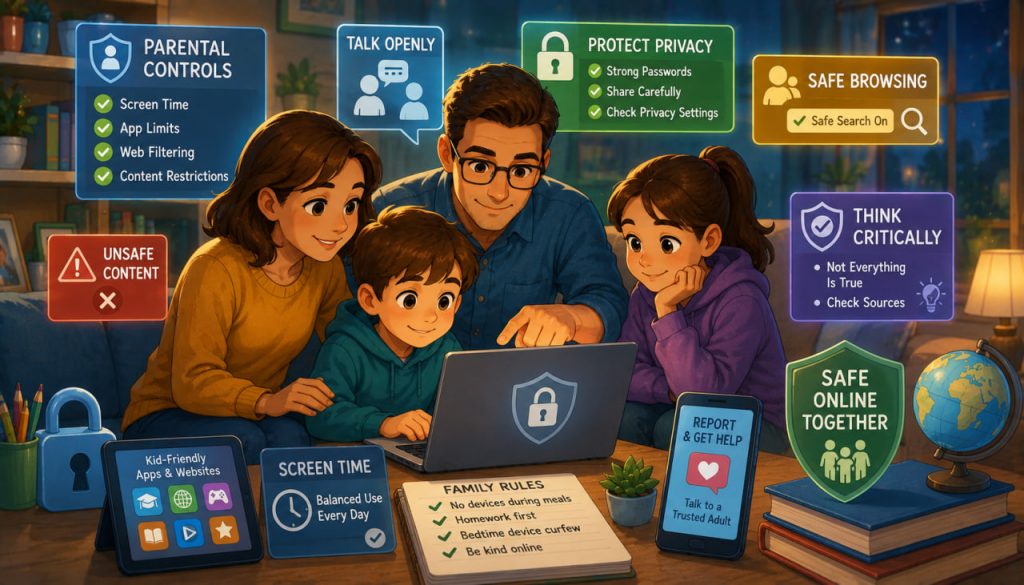
The internet has become an essential part of modern childhood. It offers incredible opportunities for learning, creativity, communication, and entertainment. Children can explore educational websites, attend virtual classes, watch science videos, and connect with friends around the world. However, alongside these benefits comes a growing challenge: protecting young users from inappropriate or harmful online content.
Parents, educators, and technology companies all play important roles in creating a safer digital environment. While no solution can eliminate every online risk, combining technology, education, and open communication can significantly reduce children’s exposure to harmful material while helping them become responsible digital citizens.
Why Online Safety Matters
Children today often begin using internet-connected devices at a very young age.
As they explore websites, games, video platforms, and social media, they may encounter content that is not appropriate for their age or emotional development.
Potential risks include:
- Violent or disturbing videos
- Sexually explicit material
- Hate speech
- Cyberbullying
- Online scams
- False or misleading information
- Gambling content
- Inappropriate advertisements
The goal is not to isolate children from technology but to help them use it safely, confidently, and responsibly.
Understanding Age-Appropriate Content
Different age groups require different levels of supervision.
Young children often lack the ability to distinguish trustworthy information from harmful or misleading content.
As children grow older, they gradually develop stronger critical thinking skills, but they still benefit from guidance.
Many online services now provide:
- Age ratings
- Kid-friendly versions
- Restricted viewing modes
- Family accounts
- Educational content libraries
These tools provide a useful first layer of protection but should not replace parental involvement.
Use Built-In Parental Controls
Most modern devices include parental control features that allow families to customize children’s online experiences.
These controls may allow parents to:
- Limit screen time
- Approve app downloads
- Restrict web browsing
- Block inappropriate websites
- Filter search results
- Control purchases
- Monitor device activity
Many streaming services, gaming consoles, smartphones, and tablets also offer separate child profiles with age-appropriate settings.
Properly configuring these tools can greatly reduce accidental exposure to harmful content.
Safe Search and Content Filters
Search engines and video platforms often include Safe Search or restricted viewing options.
While these filters are not perfect, they help reduce the likelihood of explicit material appearing in search results.
Additional protection can come from:
- Family-friendly DNS services
- Content filtering software
- School internet filters
- Browser safety extensions
These technologies work best when combined with ongoing supervision rather than used as the only protective measure.
Talk Openly About Internet Safety
Technology alone cannot replace communication.
Experts consistently recommend maintaining regular conversations about online experiences.
Parents should encourage children to:
- Ask questions freely
- Report uncomfortable situations
- Tell an adult if they encounter disturbing content
- Avoid communicating with strangers without permission
- Think critically before sharing personal information
Children who feel comfortable discussing online experiences are more likely to seek help when something goes wrong.
Creating an atmosphere of trust is often more effective than relying solely on restrictions.
Teach Critical Thinking
One of the most valuable digital skills is learning how to evaluate online information.
Children should understand that:
- Not everything online is true.
- Images and videos can be manipulated.
- Artificial intelligence can generate realistic fake content.
- Social media algorithms do not necessarily prioritize accurate information.
- Influencers and advertisers may promote products for financial reasons.
Helping children recognize reliable sources prepares them to navigate the internet more independently as they grow older.
Protect Privacy and Personal Information
Children should learn basic digital privacy habits from an early age.
Important rules include:
- Never sharing home addresses publicly
- Avoiding posting phone numbers
- Using strong passwords
- Enabling two-factor authentication when appropriate
- Asking permission before downloading unfamiliar apps
- Being cautious when sharing photos
Parents should also regularly review privacy settings on apps, games, and social media platforms.
Reducing the amount of personal information available online lowers the risk of identity theft, scams, and unwanted contact.
Managing Screen Time
Online safety is not only about content—it also involves healthy technology habits.
Excessive screen time may interfere with:
- Sleep
- Physical activity
- Family interaction
- Homework
- Mental well-being
Many pediatric organizations recommend establishing consistent family rules regarding:
- Device-free meals
- Bedtime technology limits
- Outdoor activities
- Educational versus recreational screen use
Balanced technology use supports healthier digital habits throughout childhood.
Recognizing Online Risks Beyond Content
Children may also encounter risks that are not immediately obvious.
These include:
- Phishing attempts
- Online fraud
- Fake giveaways
- In-app purchase scams
- Cyberbullying
- Deepfake videos
- AI-generated misinformation
Teaching children to pause before clicking unfamiliar links or responding to unexpected messages helps reduce many of these risks.
Digital safety education should evolve alongside rapidly changing technology.
Expert Perspective
The American Academy of Pediatrics (AAP) emphasizes that effective online safety depends on active parental engagement rather than technology alone. Experts recommend creating a family media plan that combines age-appropriate screen time limits, parental controls, and ongoing conversations about responsible internet use.
Similarly, organizations such as UNICEF stress that helping children develop digital literacy and critical thinking skills is essential. Rather than shielding children from every online experience, experts encourage teaching them how to recognize risks, seek help when needed, and make informed decisions as responsible digital citizens.
Building Lifelong Digital Skills
The internet will remain an important part of children’s education, careers, and daily lives.
Preparing them for that future involves more than blocking harmful websites.
Families can help children become confident online users by encouraging:
- Respectful online behavior
- Responsible sharing
- Privacy awareness
- Critical thinking
- Fact-checking
- Healthy technology habits
- Open communication
As technology continues evolving, these lifelong digital skills will become just as important as reading, writing, and mathematics.
Protecting children online is ultimately about empowering them to navigate the digital world safely while benefiting from the enormous educational and creative opportunities the internet provides.
Interesting Facts
- More than 90% of teenagers in many developed countries use the internet daily.
- Many smartphones include built-in parental controls that require no additional software.
- Safe Search filters can reduce exposure to explicit content but cannot guarantee complete protection.
- Artificial intelligence is increasingly used to detect harmful online content automatically.
- Many educational platforms provide dedicated child-friendly learning environments.
- Cyberbullying can occur through games, messaging apps, social media, and online communities.
- Teaching digital literacy from an early age helps children recognize misinformation and online scams more effectively.
Glossary
- Parental Controls — Software or device settings that help parents manage children’s online activities and restrict inappropriate content.
- Digital Literacy — The ability to safely, responsibly, and critically use digital technologies and online information.
- Safe Search — A search engine feature that filters explicit content from search results.
- Cyberbullying — Harassment or intimidation carried out through digital devices or online platforms.
- Phishing — A fraudulent attempt to steal personal information by pretending to be a trustworthy source.
- Two-Factor Authentication (2FA) — A security method requiring two forms of identity verification before granting account access.
- Deepfake — AI-generated or AI-manipulated media designed to realistically imitate real people or events.
- Digital Footprint — The collection of information a person leaves behind through online activities, including posts, photos, and browsing history.